
The Business Operations Dashboard Pro
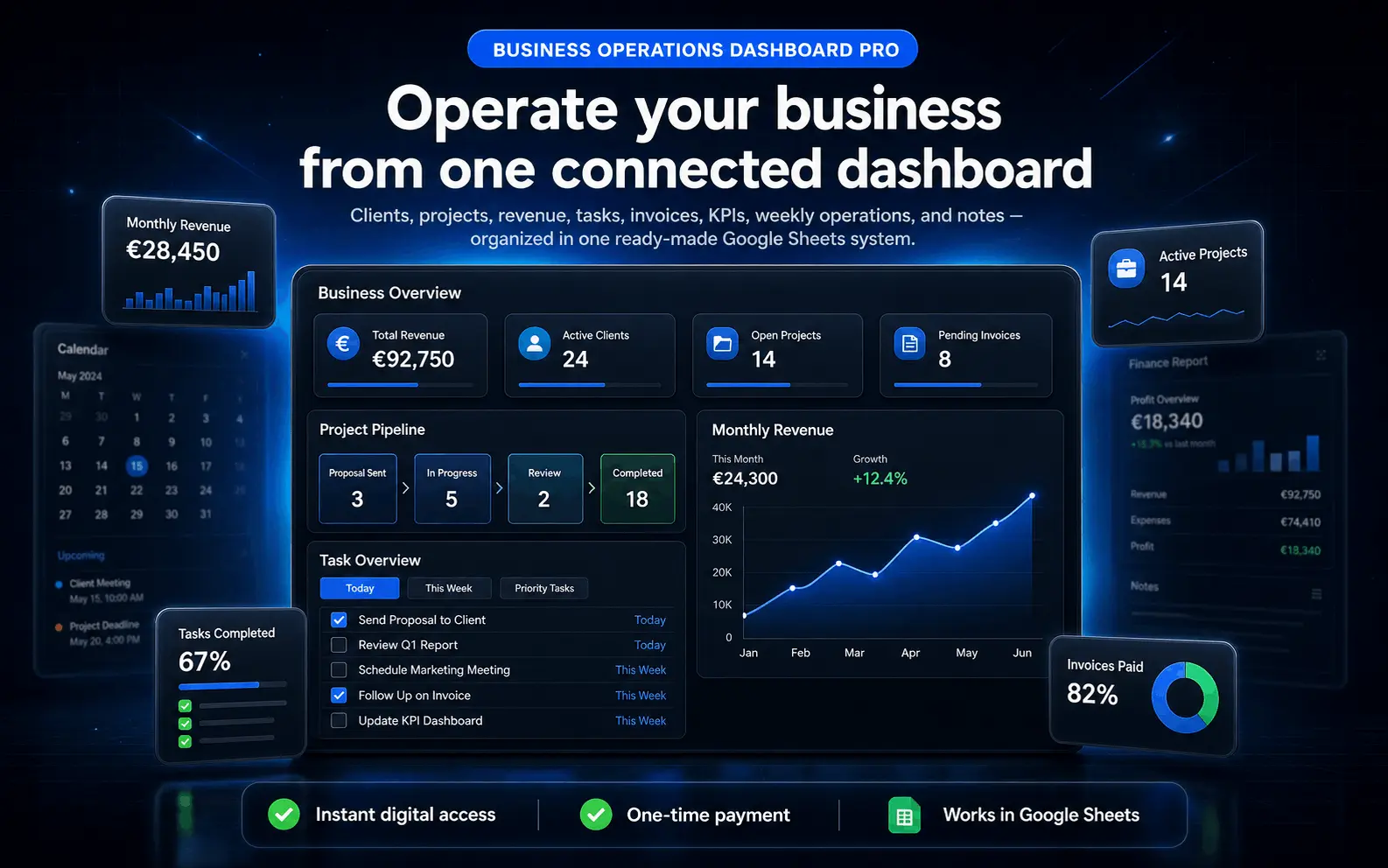
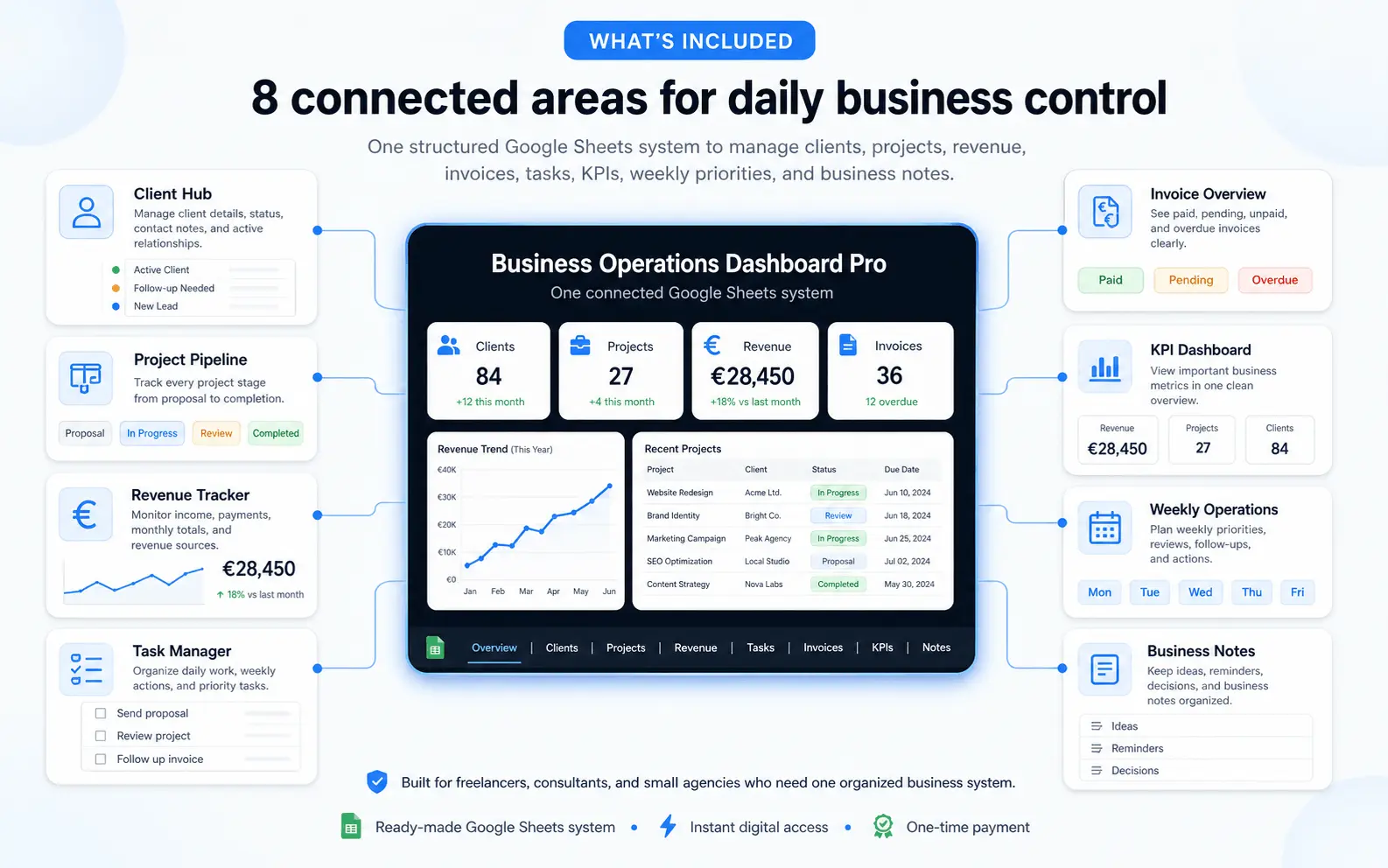
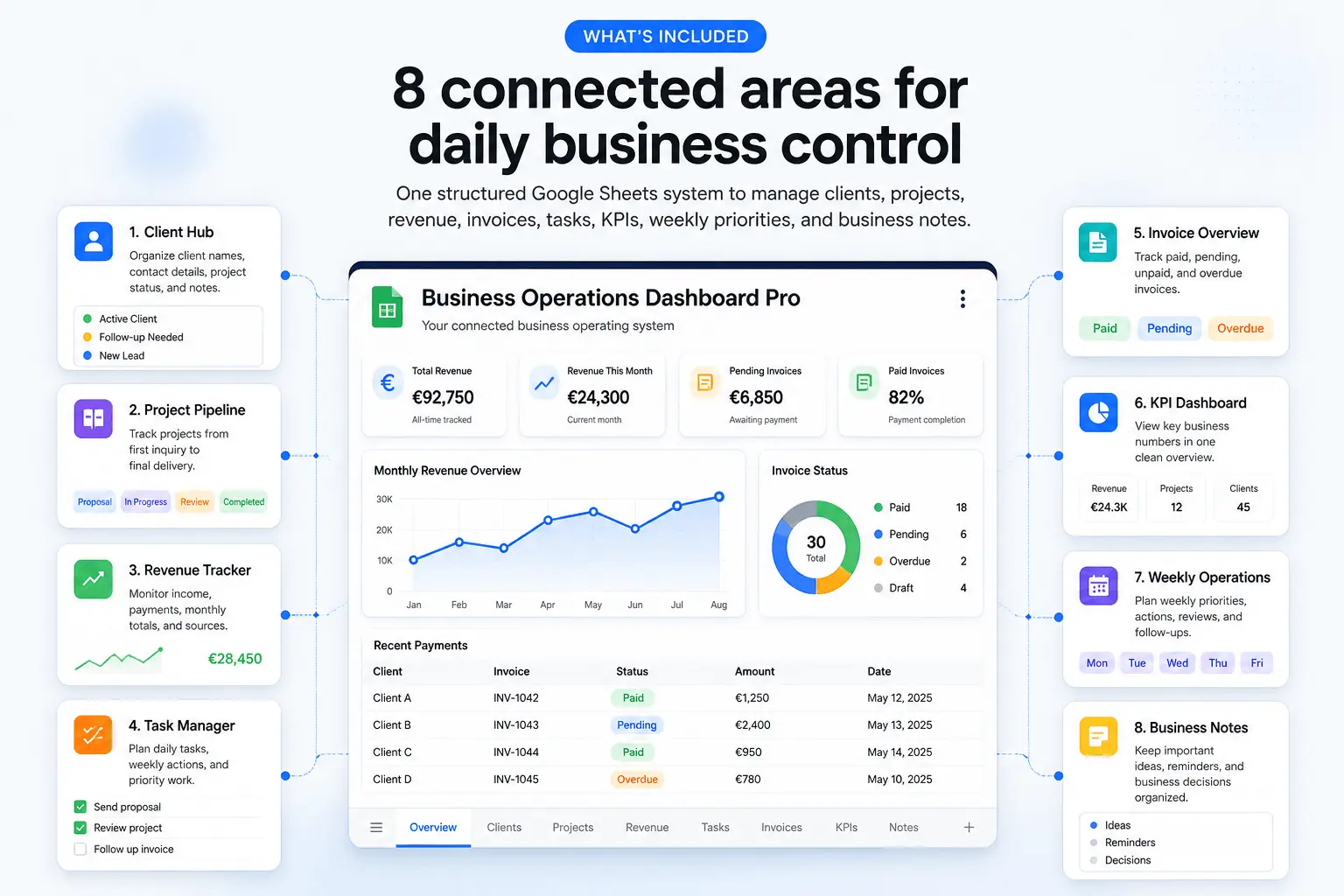
A ready-made Google Sheets business command center with 8 connected areas — Client Hub, Project Pipeline, Revenue Tracker, Task Manager, Invoice Overview, KPI Dashboard, Weekly Operations, and Business Notes. Built for advanced freelancers and agencies who want one connected dashboard for clients, projects, revenue, tasks, invoices, and insights.
- ✓8 Connected Areas — clients, projects, tasks, revenue, invoices, KPIs, operations, and notes
- ✓Business Overview Dashboard — see your full operation from one organized command center
- ✓Client & Project Management — manage relationships, project stages, deliverables, and deadlines
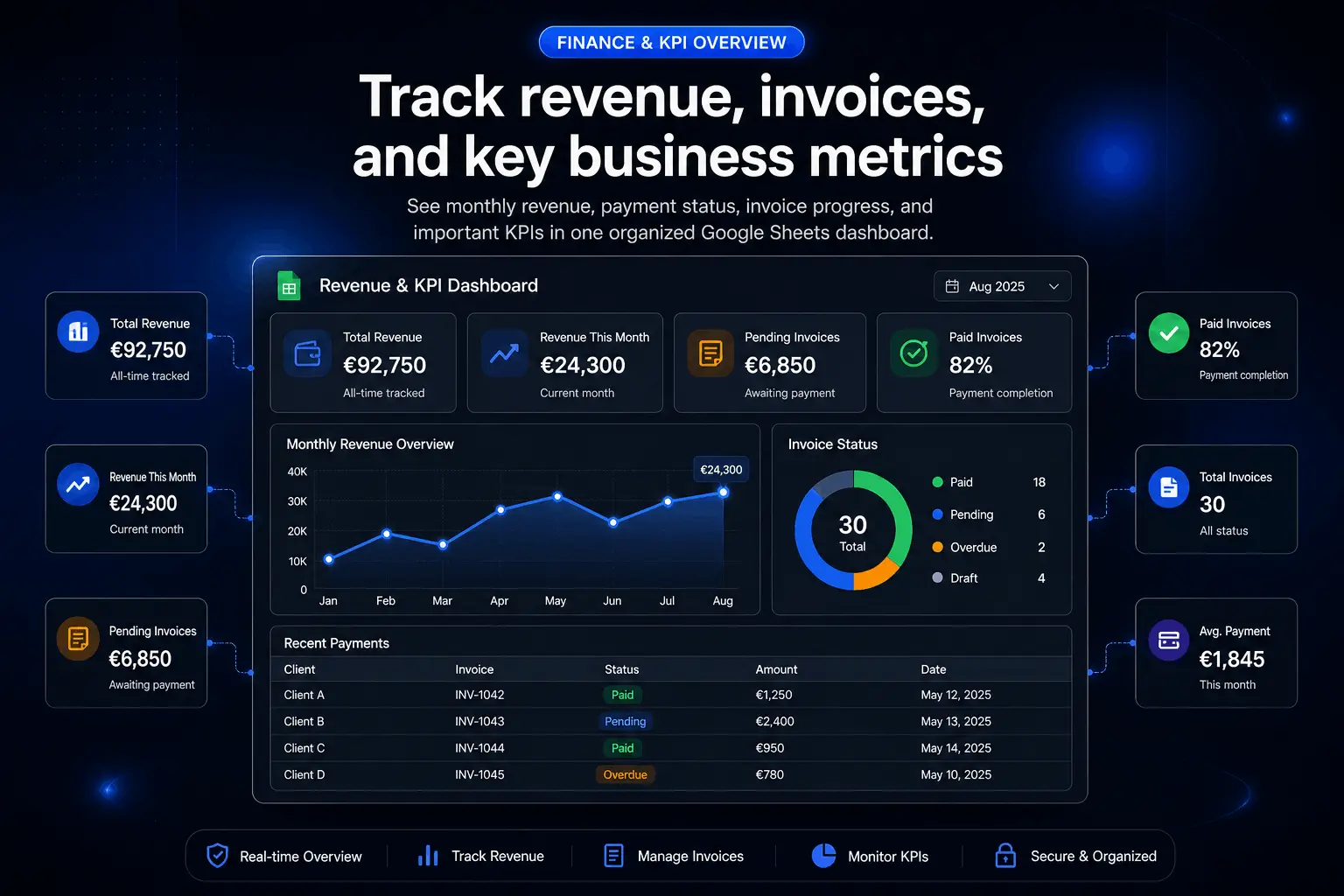
- ✓Revenue, Invoice & KPI Tracking — monitor income, unpaid invoices, and business performance
- ✓Instant Download — access immediately and duplicate to your Google Drive
- ✓Lifetime Access & Support — one-time payment with email support included
Secure checkout by Stripe • Instant digital delivery • One-time payment • Works in Google Sheets
How it works
Start running your business operations in under 2 minutes
From checkout to working operations dashboard, the setup is fast, simple, and built for advanced freelancers and agencies managing clients, projects, revenue, tasks, invoices, KPIs, and weekly operations.
Secure Checkout
Complete your purchase with a one-time payment and get instant confirmation right away.
Instant Delivery
Receive your Business Operations Dashboard Pro access link by email immediately after purchase. No waiting, no manual delivery.
Duplicate & Start
Open it in Google Sheets, duplicate it to your Drive, and start organizing clients, projects, revenue, invoices, KPIs, and operations.
No installation, no complex business software, and no monthly tools to manage.
Everything Included
8 connected areas, one complete business operations system
Business Operations Dashboard Pro gives you one organized Google Sheets command center to manage clients, projects, revenue, tasks, invoices, KPIs, weekly operations, and business notes without complicated software.
01 - Business Overview
See the full operation at a glance
Get a central view of clients, projects, revenue, tasks, invoices, and KPIs so your business is easier to understand.
- Review business activity from one dashboard
- Spot what needs attention faster
- Reduce scattered tracking across files
02 - Client Hub
Keep every client organized
Store client details, account status, service notes, contact context, and relationship information in one place.
- Track active and past clients clearly
- Keep client details easy to find
- Connect client context to projects and revenue
03 - Project Pipeline
Track every project stage
Manage projects by client, stage, deliverable, priority, owner, and deadline so active work stays visible.
- Track project status and next steps
- Organize deliverables by client
- Keep deadlines and project flow clear
04 - Revenue Tracker
Monitor income and business value
Track revenue by client, project, month, payment status, and business category without building a separate finance system.
- Track paid and expected revenue
- Review monthly income quickly
- Connect revenue to clients and projects
05 - Task Manager
Keep execution connected to operations
Organize tasks by client, project, priority, owner, status, and due date so daily work stays aligned.
- Track tasks across clients and projects
- See priorities and overdue work
- Keep daily execution easier to manage
06 - Invoice Overview
See what is billed and unpaid
Track invoice status, due dates, client balances, and payment progress so unpaid work does not disappear.
- Track sent, paid, and overdue invoices
- Keep payment follow-ups visible
- Connect invoices to clients and revenue
07 - KPI Dashboard
Review performance without manual reporting
See key business indicators, workload, revenue movement, project activity, and operational signals in one dashboard.
- Review business performance quickly
- Monitor workload and revenue activity
- Use KPIs to make better weekly decisions
08 - Weekly Operations
Plan and reset the business every week
Review open work, upcoming deadlines, client priorities, revenue follow-ups, and notes so each week starts with structure.
- Plan weekly operations with clarity
- Review priorities, deadlines, and follow-ups
- Keep business notes and decisions organized
Everything is built to help advanced freelancers and agencies manage the full business operation from one practical workspace.
BENEFITS
Why advanced freelancers and agencies use this operations dashboard
Operations clarity
See clients, projects, tasks, revenue, invoices, KPIs, and weekly priorities from one connected command center.
Project control
Track project stages, deliverables, deadlines, owners, and next steps without relying on scattered documents.
Money visibility
Monitor revenue, invoice status, payment follow-ups, and business performance before cash flow gets unclear.
KPI visibility
Review workload, project activity, revenue movement, and weekly priorities without building manual reports.
“This replaced several messy sheets for us. Clients, projects, revenue, invoices, and KPIs finally live in one place.”
SUPPORT
Frequently asked questions
No. Business Operations Dashboard Pro is a one-time purchase. You pay once and get lifetime access with no recurring fees.
You will receive access by email immediately after purchase. Open the file in Google Sheets, duplicate it to your Google Drive, and start using it right away.
No. This dashboard works directly in Google Sheets, so there is nothing to install. You only need a Google account to make your own copy.
Yes. After duplicating the workbook to your Google Drive, you can edit and customize it to match your clients, services, projects, revenue categories, invoice workflow, KPIs, and operations process.
No. This is a digital product. Nothing is shipped physically. You get instant access online after payment.
It is best for advanced freelancers, consultants, agency owners, studio operators, and service businesses that want one connected system for clients, projects, tasks, revenue, invoices, KPIs, and weekly operations.
Yes. Email support is included if you need help accessing or using the dashboard.
Run your business operations from one command center
Get instant access to Business Operations Dashboard Pro. No subscription. No setup. Just organized clients, projects, tasks, revenue, invoices, KPIs, and weekly operations.
Get Instant Access — €79.99
